SIM Card: Reverse Engineering and ADM password bypass

- Name
- Arthur Simas
Sigrok protocol decoder for ISO 7816: arthursimas1/sigrok_iso7816 (opens in a new tab)
pySim fork with support for our SIM cards: arthursimas1/pysim (opens in a new tab)
I am a researcher in Electrical and Computer Engineering, specifically focusing on networking. In our lab, we run a private 5G network from a large vendor (who shall remain nameless). This setup came with about 50 SIM cards that, by design, could only be provisioned using the vendor's heavily locked-down dashboard.
To experiment, we bought a SIM card kit (4x 4G SIMs + JUST A SINGLE 5G SIM + card reader) straight from China, branded Oyeitimes. We quickly realized this card was virtually undocumented. The manufacturer provided the ADM1, PIN and PUK passwords, but the card could only be written to using their proprietary, Windows-only software.
We could have just used their software. But we are programmers. We like Linux. We like the command line. So why not reverse engineer the SIM card, extract the necessary parameters, and write a patch to the open-source pySim?
All I had to do was sniff the messages between the SIM card and the Windows PC. Sounds easy, right? I was about to find out the hard way.
Chapter 1: The USB Proxy Illusion
My first attempt at intercepting the traffic involved a Raspberry Pi 4 and the FaceDancer software stack. The goal was to create a USB proxy between the smart card reader and the Windows PC.
To make the Pi 4 act as a USB device, I had to set up a USB port to enable OTG gadget mode. According to the official Raspberry Pi documentation (opens in a new tab), the USB-C port on the Pi's 4 and 5 supports peripheral mode, but it can only do this if it's not being used to power the board.
To pull this off, you have to power the Pi directly through the 5V and GND GPIO pins, leaving the USB-C port free to connect to the host computer. On the software side, it just takes adding this line to the very end of the /boot/firmware/config.txt file:
dtoverlay=dwc2,dr_mode=peripheralBut there is one more critical hardware hack required. You can't just plug a standard USB-C cable between the host PC and the Pi. If the PC tries to push 5V down the line while the Pi is already powered by an external source, you risk a power conflict that could fry your hardware. To prevent this, I had to rip into the USB cable's shielding and cut the VCC wire so it would only transmit data and ground.
So, I hooked the GPIO pin headers up to a massive bench lab voltage regulator, sacrificed a USB cable, and wired everything together.
The software worked... mostly. The Windows PC recognized the Raspberry Pi as the card reader. But as soon as the proprietary software tried to simply read from the card, it crashed miserably in a cascade of USB timeout errors. I was so close, yet entirely stuck.
Chapter 2: The FPGA Mirage
Frustrated by the timeouts, I convinced myself the Raspberry Pi was simply too slow for the strict timing requirements of USB proxying.
I knew that dedicated hardware like actual FaceDancer boards or a GreatFET existed for this exact purpose and would probably handle the timing flawlessly. But I didn't have one lying around, and waiting for shipping wasn't an option. Naturally, my mind turned to our lab's Intel Altera educational board.
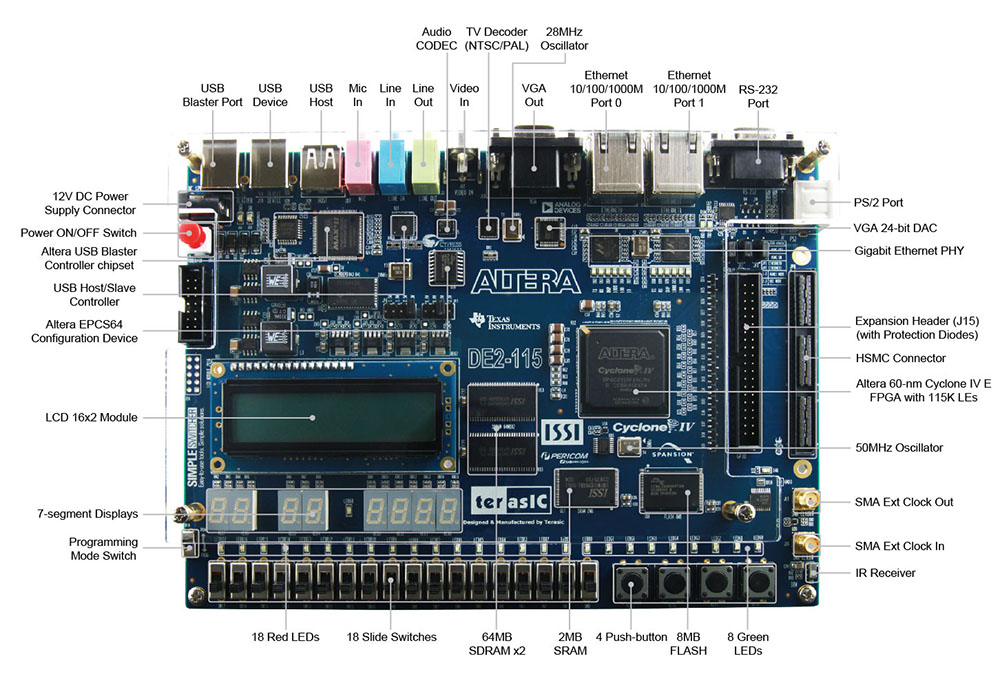
Intel Altera educational board
I started designing a mental architecture to implement a soft-PHY for USB 1.1 just to sniff the packets. The following morning, I woke up, drank some coffee had breakfast (I hate coffee), and realized what a terrible idea it is to casually write FPGA logic for something that should have an easier path (I actually love FPGAs, but let's be real here).
Chapter 3: Sniffing the Right Wires
The USB protocol is messy.
It's flawless how we can plug in our USB-C cables regardless of orientation, and the backward compatibility is practically magic.
But beneath that user-friendly exterior, the USB protocol is still an absolute nightmare. The descriptors, the endpoints, the sheer overhead of state machines, the incomprehensible naming conventions that change retroactively. Every. New. Rele—
Anyway. Hooking into the USB line was proving too complicated. But I remembered that between the SIM card and the computer, there is another data line: the physical connection between the card reader and the SIM card itself. Here, the raw APDU (Application Protocol Data Unit) messages flow unencrypted at a delightfully slow pace.
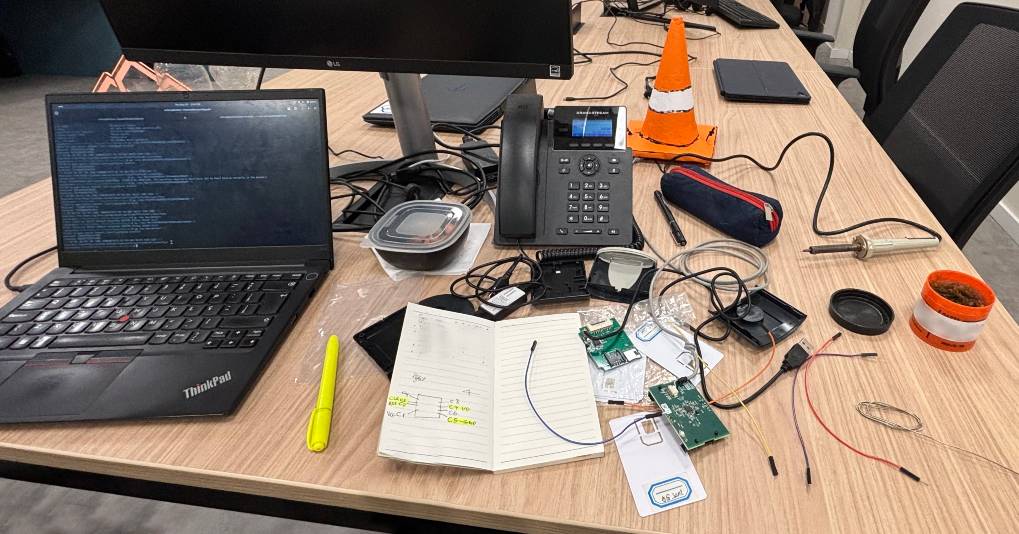
To go down this path, I just needed to crack open the smart card reader, solder some test probes to the correct pins (C2-RESET, C3-CLOCK, C5-GND, C7-I/O), and attach a logic analyzer. Could I have used a logic analyzer on the USB line instead? Yes, but USB speeds require a high-end analyzer with a massive sample rate. The APDU interface, on the other hand, is delightfully slow. A cheap 24MHz logic analyzer from AliExpress was more than up to the task.
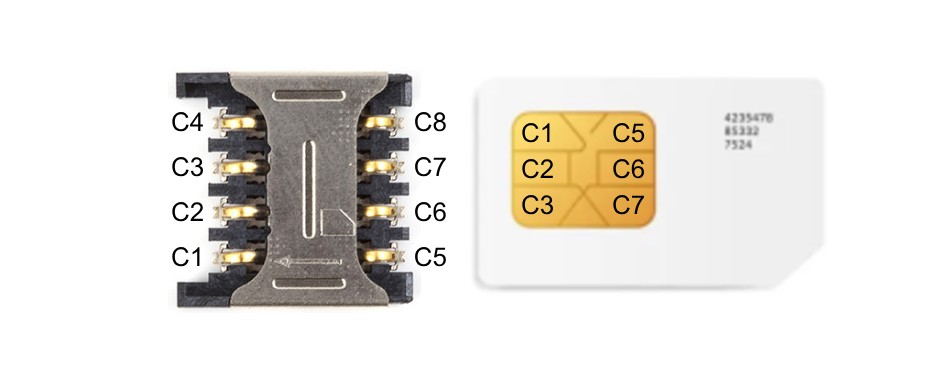
SIM card pinout
| Contact pad | Signal |
|---|---|
| C1 | VCC |
| C2* | RESET |
| C3* | CLOCK |
| C4 | RESERVED |
| C5* | GND |
| C6 | VPP |
| C7* | I/O |
| C8 | RESERVED |
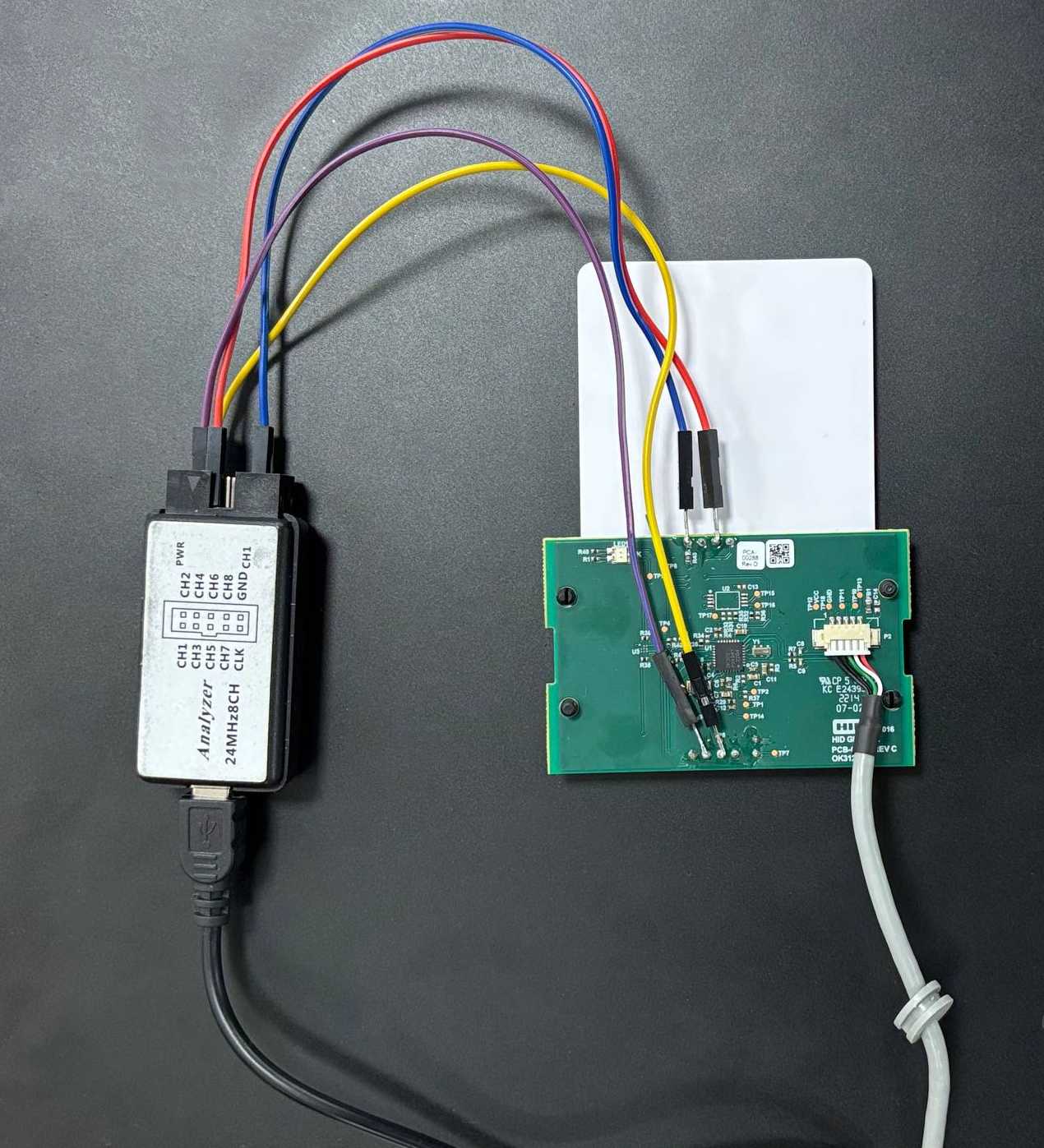
The smart card reader wired to the logic analyzer
Chapter 4: The 0% Supported Protocol & The Trap
I hooked up the wires, plugged the logic analyzer into my laptop, and fired up PulseView. Surprise: I needed a protocol decoder for smart cards.
I checked the supported protocol decoders documentation for Sigrok (PulseView's backend). The support for ISO 7816 (the smart card standard) sat at a striking 0% [link (opens in a new tab)].

After a quick Google search, I found a random GitHub repository with a custom Sigrok plugin for ISO 7816. In my pure innocence, I thought it worked perfectly. I exported the capture to a PCAP file, opened it in Wireshark, and successfully grabbed the file paths needed to store the Ki and OPc keys!
Now I just needed to patch pySim. In my innocence (again), I wrote the full patch using the cumbersome legacy pySim methods, only to later realize the modern API is infinitely more ergonomic. What a great day to be alive.
Time to test: I inserted the SIM, plugged in the reader, and started pySim-shell. I traversed the directory hierarchy to the files I had sniffed... but I couldn't read or write to them.
A quick Google search introduced me to EF.ARR (Access Rule Reference). In the telecom world, an EF.ARR file dictates the security conditions required to perform actions (like read or update) on other files in the SIM.
I read the contents of the respective EF.ARR file and discovered that the paths I needed were protected by an unknown password: ADM2.
pySIM-shell (00:MF)# select MF/DF.SYSTEM/EF.Ki
{
    "file_descriptor": {
        "file_descriptor_byte": {
            "shareable": true,
            "file_type": "working_ef",
            "structure": "transparent"
        },
        "record_len": null,
        "num_of_rec": null
    },
    "file_identifier": "ff02",
    "life_cycle_status_integer": "operational_activated",
    "security_attrib_referenced": {
        "ef_arr_file_id": "6f06",
        "ef_arr_record_nr": 16
    },
    "file_size": 16,
    "short_file_identifier": null
}
pySIM-shell (00:MF/DF.SYSTEM/EF.Ki)# select MF/DF.SYSTEM/6f06
{
    # omitted for brevity
}
pySIM-shell (00:MF/DF.SYSTEM/6f06)# read_record_decoded 16
[
    [
        {
            "access_mode": [
                "activate_file_or_record",
                "deactivate_file_or_record",
                "update_erase",
                "read_search_compare"
            ]
        },
        {
            "control_reference_template": "ADM2"
        }
    ]
]
The manufacturer had only provided ADM1 (which was 88888888). I figured ADM2 must be something similarly lazy, like 99999999 or 00000000.
It was not.
After a few bad guesses, the card locked me out completely. I had just bricked a SIM card my advisor bought with money from his own pocket.
Chapter 5: Sleepless Nights and Custom Decoders
Under a cloud of deep frustration, I took a step back and looked at the raw logic analyzer signals in PulseView. The buggy GitHub decoder had clearly missed a massive chunk of messages. It couldn't handle multiple APDU sessions—delimited by a RESET rising edge followed by the ATR (Answer To Reset) message. It simply failed to correctly parse the messages that followed the ATRs.
During a sleepless night, I sat down and wrote a brand-new ISO 7816 decoder for Sigrok from scratch. I fed my captures through my new decoder, exported them to PCAP, and opened Wireshark.
And there it was. The Windows proprietary software sending the ADM2 password. In clear sight.
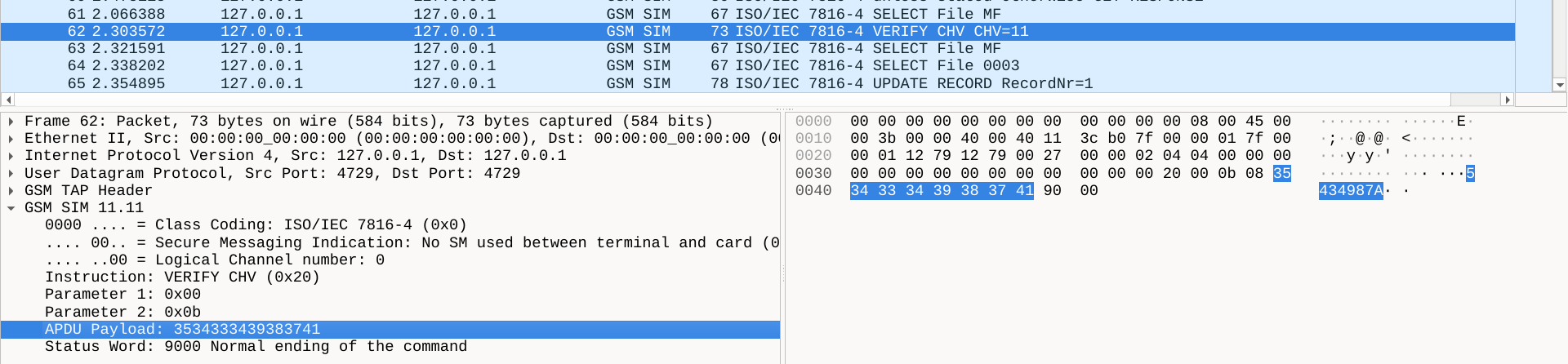
The ADM2 password. 5434987A
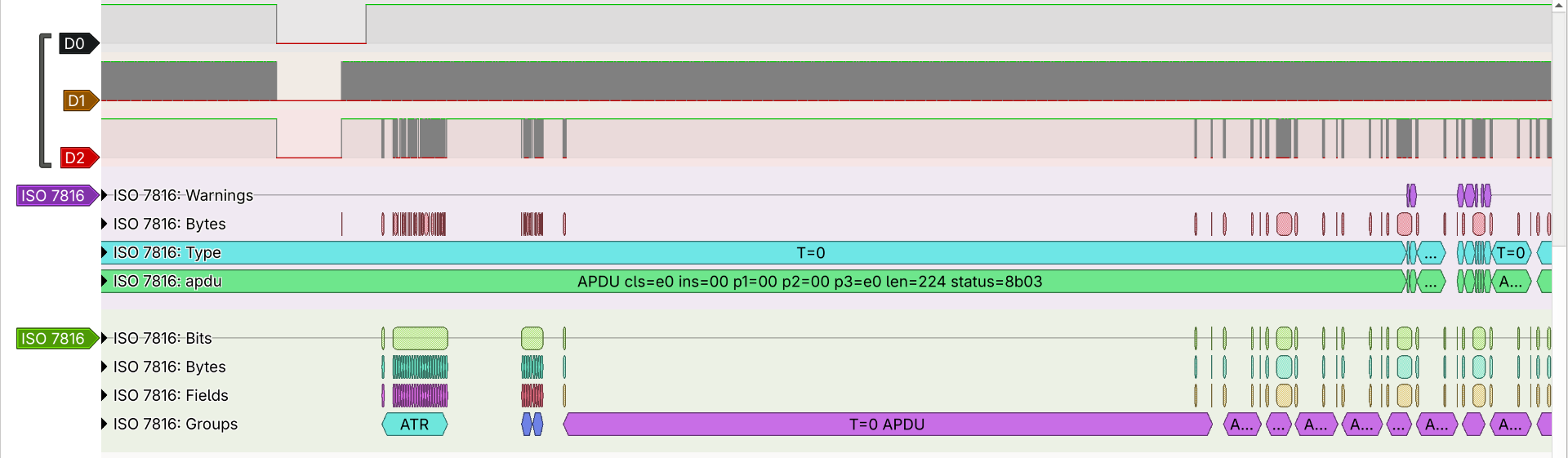
A comparison of ISO 7816 protocol decoders in PulseView: The top track shows the flawed decoder failing to handle multiple APDU sessions, incorrectly grouping the APDU messages into a single block. The bottom track shows my custom decoder correctly isolating each ATR and following APDU messages
Chapter 6: The ATR
At the very least, I could now use my new decoder to reverse engineer the 50 SIM cards from our private 5G lab. I set it up, sniffed the traffic, and it worked on the first try!
But then I got a hint. While looking at the PulseView signals, I kept staring at the ATR. What is an ATR, after all?
The Answer To Reset is the first string of bytes a smart card sends when powered on. It describes the card's communication parameters, but it also acts as a fingerprint.
Using an online ATR parser (e.g. smartcard-atr.apdu.fr (opens in a new tab)), I fed in the ATR from the unknown lab SIM cards. It spit out the exact manufacturer. I went to their website, found the product page, and right there in plain text... was the DATASHEET.
It had all the juicy SIM card secret keys and structures I had just spent days sniffing. The pySim patch came like a breeze. It turns out that having detailed documentation is actually infinitely better than a USB thumb drive with proprietary software. Who knew?

Chapter 7: Bypassing the ADM Password Lockout
All that work wasn't in vain. It was extremely fun. But I still had a bricked Oyeitimes card sitting on my desk, taunting me with its locked ADM2 state.
Then, as soon as I lay down on bed, I had a realization: What dictates the rules of the EF.ARR file itself? I had terribly anxious dreams that night, waiting for the next morning so I could test my hypothesis. It turns out that an EF.ARR file is also protected by an EF.ARR file. In the case of this Oyeitimes SIM, it was governed by itself.
pySIM-shell (00:MF)# select MF/DF.SYSTEM/6f06
{
    "file_descriptor": {
        "file_descriptor_byte": {
            "shareable": true,
            "file_type": "working_ef",
            "structure": "linear_fixed"
        },
        "record_len": 44,
        "num_of_rec": 18
    },
    "file_identifier": "6f06",
    "proprietary_information": {
        "uicc_characteristics": "71"
    },
    "life_cycle_status_integer": "operational_activated",
    "security_attrib_referenced": {
        "ef_arr_file_id": "6f06",
        "ef_arr_record_nr": 3
    },
    "file_size": 792,
    "short_file_identifier": 23
}
And the password required to edit that EF.ARR file?
ADM1.
pySIM-shell (00:MF/DF.SYSTEM/6f06)# read_record_decoded 3
[
    [
        {
            "access_mode": [
                "read_search_compare"
            ]
        },
        {
            "always": null
        }
    ],
    [
        {
            "access_mode": [
                "activate_file_or_record",
                "deactivate_file_or_record",
                "update_erase"
            ]
        },
        {
            "control_reference_template": "ADM1"
        }
    ]
]
Because I was already authenticated using the ADM1 password (88888888), I was able to open the EF.ARR file using pySim and promptly update the access record for the Ki and OPc keys. I changed their required security condition from ADM2 to ADM1:
pySIM-shell (00:MF/DF.SYSTEM/6f06)# update_record_decoded 16 '[[{"access_mode": ["activate_file_or_record","deactivate_file_or_record","update_erase","read_search_compare"]},{"control_reference_template": "ADM1"}]]'(Apologies for the long, single-line format. pySim requires the entire JSON payload to be passed on one line.)
It worked. The card's internal retry counter for ADM2 was maxed out, but it didn't matter anymore because I had bypassed it completely. I had changed the locks on the doors, and held the only key I needed.
Even though I had successfully sidestepped the password by altering the file permissions, it still bothered me to know that the ADM2 slot was permanently locked out.
...Or at least I thought so.
I was sitting there with a yak only halfway shaved, and I simply couldn't hold myself back from fully shaving it.
I decided to take one last try at my Wireshark captures.
While scrolling through the APDU logs, I noticed something I had completely overlooked at first glance: the proprietary software was writing the PIN and ADM passwords directly across the SIM card's filesystem. Because this Oyeitimes SIM provides more than one application (USIM, ISIM, ARA-M, HPSIM, USIM-non-IMSI), the passwords are distributed across different files to support them.
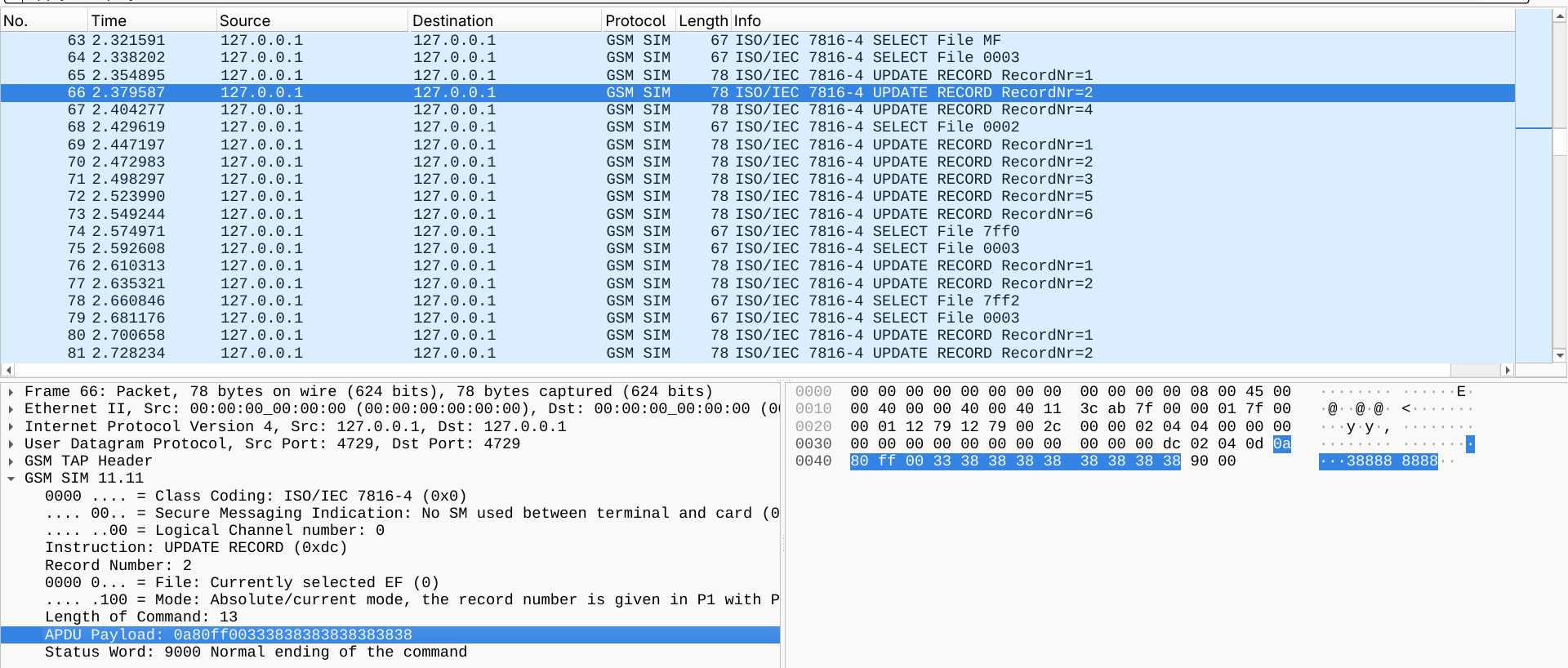
With this realization in mind, I fired up pySim-shell and decided to poke around the files I saw in the capture.
Right on the first try, I found gold:
pySIM-shell (00:MF)# select MF/0003
pySim-shell (00:MF/0003)# read_records
001 010001003331323334ffffffff
002 0a80ff00333838383838383838
003 0b80ff00a03534333439383741
004 11100100aa3838383838383838
005 ffffffffffffffffffffffffff
006 ffffffffffffffffffffffffff
007 ffffffffffffffffffffffffff
008 ffffffffffffffffffffffffff
009 ffffffffffffffffffffffffff
For clarity:
| Record index | Pin index | Unknown | Counter | Password (ASCII hex) |
|---|---|---|---|---|
001 | 01 | 000100 | 33 | 31323334ffffffff # PIN1 (1234) |
002 | 0a | 80ff00 | 33 | 3838383838383838 # ADM1 (88888888) |
003 | 0b | 80ff00 | a0 | 3534333439383741 # ADM2 (5434987A) |
004 | 11 | 100100 | aa | 3838383838383838 # PUK1 (88888888) |
I could immediately identify the familiar ASCII hex characters representing the passwords at the end of each line (for example, 3838383838383838 translates directly to 88888888). But I needed to decipher the preceding bytes to understand how the lock worked:
- Pin index: The second column represents the index identifier for the password. Standard user PINs usually get lower indices (like
01for PIN1), while administrative passwords follow the standard of using higher indices (e.g.,0afor ADM1,0bfor ADM2). - The counter: The real secret lay in the final byte right before the ASCII password. This byte acts as
{max attempts}{remaining attempts}.
Looking at record 003 (ADM2), the counter byte was a0. In hexadecimal, a equals 10. So, the card allows 10 total attempts, and currently had 0 remaining attempts. No wonder it was bricked.
The fix was incredibly obvious. I just had to be sure that the respective EF.ARR record allowed me to write to this file, and then manually overwrite that a0 byte to aa, resetting the remaining attempts back to 10.
I threw the following command into pySim-shell:
update_record 3 0b80ff00aa3534333439383741Then, tested the unlock:
verify_adm --adm-type ADM2 5434987AIt failed...
After a brief moment of confusion, I realized what was happening. When passing the ASCII password, pySim converts it to lowercase (sending 5434987a instead of 5434987A). To bypass this string conversion, I forced it to use the raw hex values:
verify_adm --adm-type ADM2 --pin-is-hex 3534333439383741That was the last puzzle piece. Not only had I bypassed the ADM2 lock earlier, but I had also completely revived the card from its bricked state. Since I finally knew all the passwords for this SIM, I happily reverted the EF.ARR records back to their original factory shape.
Now, the card does exactly what we need it to do. The yak is, officially, fully shaved.
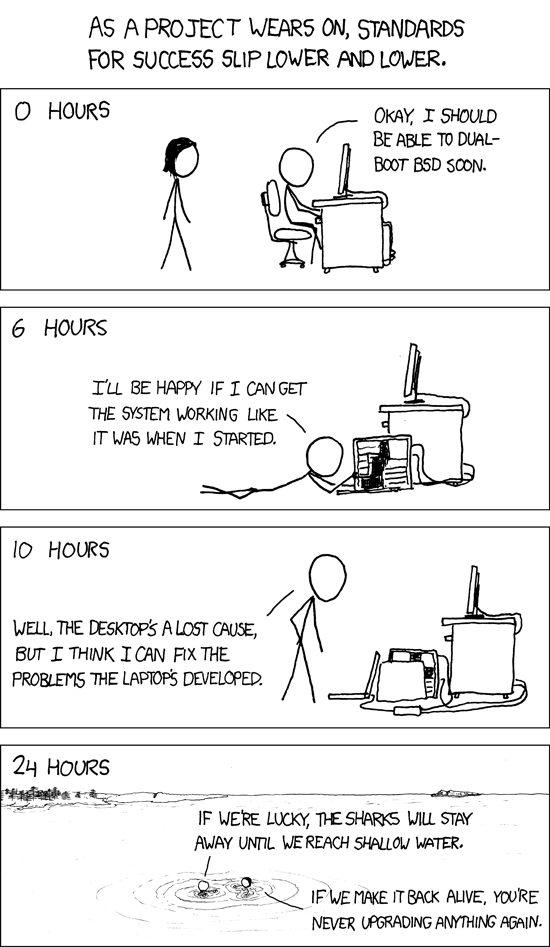
A biblically accurate visual representation of my entire week (also known as yak shaving)
TL;DR: How to Reverse Engineer a SIM (Without Losing Your Mind)
To save you the sleepless nights, here is the optimal workflow if you find yourself staring down an undocumented SIM card:
-
Get the ATR: Read the ATR from the SIM card using
cardinfoinpySim-shell.(pysim-env) arthur@fedora:~/shared/Research/pysim$ ./pySim-shell.py -p0 Using reader PCSC[HID Global OMNIKEY 3x21 Smart Card Reader [OMNIKEY 3x21 Smart Card Reader] 00 00] Waiting for card... Info: Card is of type: UICC INFO: Detected UICC Add-on "SIM" INFO: Detected UICC Add-on "GSM-R" INFO: AIDs on card: INFO: USIM: a0000000871002ffffffff8903050001 (EF.DIR) INFO: ISIM: a0000000871004ff49ffff89081500ff (EF.DIR) INFO: ARA-M: a00000015141434c00 INFO: HPSIM: a000000087100a INFO: USIM-non-IMSI: a000000087100b Welcome to pySim-shell! (C) 2021-2023 by Harald Welte, sysmocom - s.f.m.c. GmbH and contributors Online manual available at https://downloads.osmocom.org/docs/pysim/master/html/shell.html pySIM-shell (00:MF)> cardinfo Card info: Name: UICC ATR: 3b9f94801fc78031e073fe2113578681098698621880 ICCID: 89000100000000000000 Class-Byte: 00 Select-Ctrl: 0004 AIDs: a0000000871002 a0000000871004 a00000015141434c00 a000000087100a a000000087100b -
Identify the Card: Check this ATR in an ATR parser website (like this one smartcard-atr.apdu.fr (opens in a new tab)) to identify the hardware.
-
RTFM: Go to the manufacturer's product page and look for the datasheet. Blindly googling for it not always works. You have to navigate their site.
-
When in Doubt, Sniff: If you cannot find the datasheet, you'll need to inspect the raw APDU messages.
- Hint 1: Crack open the reader (or use a SIM card converter board) and use my ISO 7816 decoder for Sigrok to get clean captures: github:arthursimas1/sigrok_iso7816 (opens in a new tab)
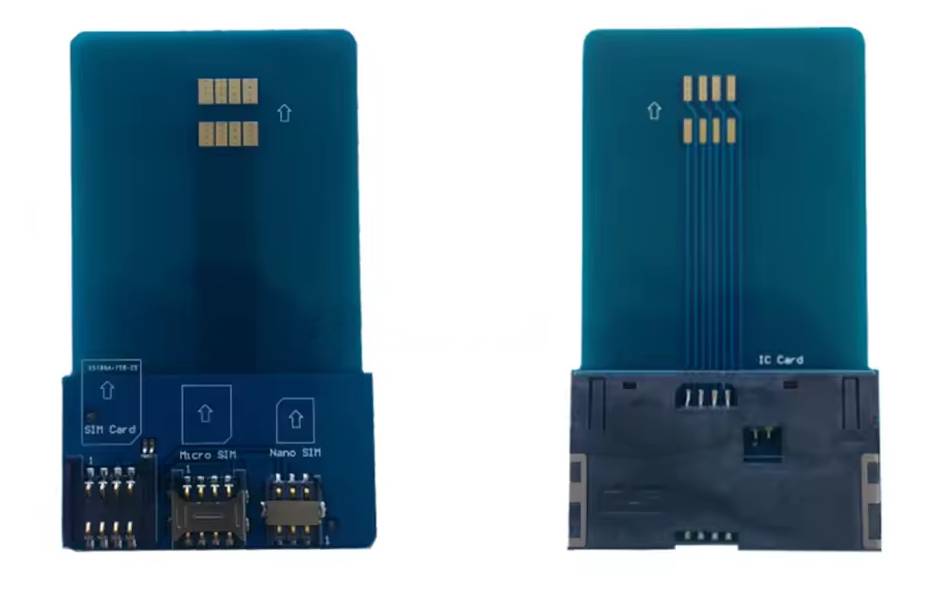
SIM card converter board
- Hint 2: When analyzing the resulting PCAP in Wireshark, use this display filter to immediately find the ADM passwords being sent:
gsm_sim.apdu.ins == 0x20
...
In the end of the day, my own PhD research in networking isn't even directly related to this hunt. But thanks to this saga, my research colleague Caio can finally provision these cards and get back to running his actual SIM card experiments. And as for me, I can finally get some sleep.